Green St Patrick’s Alphabet PNG Glitter: A Guide to High-Quality Digital Crafting
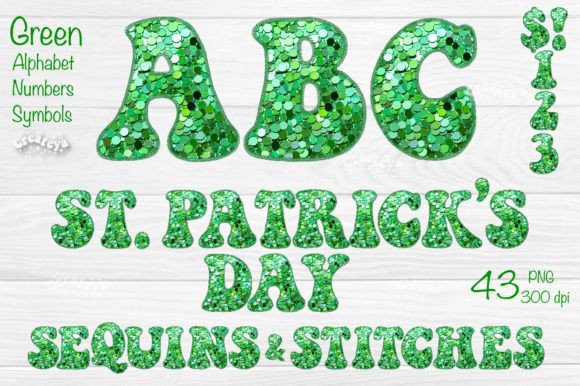
When you are preparing for a festive project, the difference between a professional-looking design and a cluttered amateur attempt often comes down to the quality of your assets. The Green St Patrick’s Alphabet PNG Glitter collection offers a vibrant solution for creators who want to add sparkle without the mess of physical glitter. However, many users dive into digital crafting with misconceptions about file types and usage rights that can hinder their workflow. Understanding exactly what you are downloading—and what you are not—is crucial for achieving the best results in your scrapbooking, card making, or commercial designs.
Understanding the File Format: Why It Is Not a Font
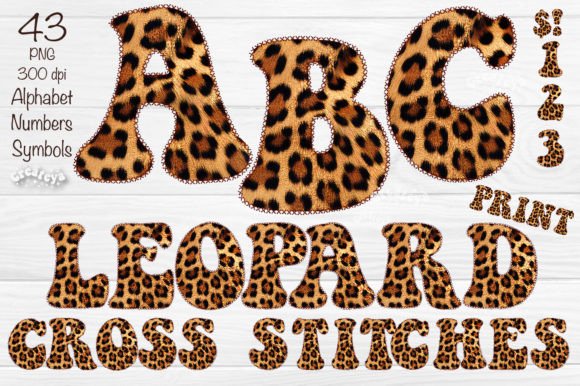
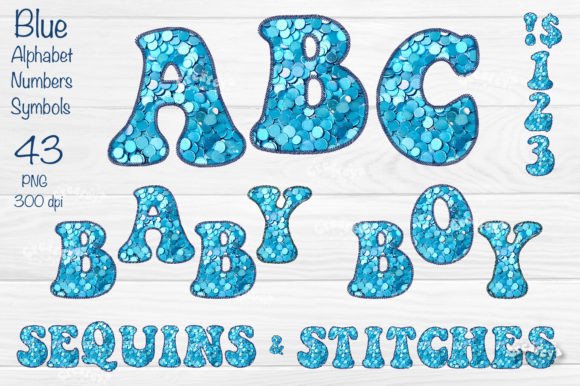
One of the most common frustrations for beginners is expecting a downloadable alphabet pack to function like a standard computer font. It is vital to clarify that this collection consists of individual PNG files, not a typeface you can install and type with. Each letter, number, and symbol is a separate image file. This distinction matters because it changes how you interact with the design software.
If you attempt to load these files as a font, you will find they simply do not work. Instead, you must drag and drop each character individually into your design canvas. While this may seem more labor-intensive than typing, it offers superior control over spacing, rotation, and layering. For example, when creating a cupcake topper, you can rotate specific letters to fit a circular layout or overlap them creatively to mimic hand-lettering. Recognizing this format early prevents wasted time searching for installation instructions that do not exist.
The Importance of Resolution and Transparency
Another critical aspect often overlooked is the technical specification of the images. This collection provides files at 300 DPI (dots per inch) with transparent backgrounds. For those new to digital design, DPI determines the print quality. A 72 DPI image might look fine on a screen but will appear pixelated and blurry when printed on a gift tag or invitation. By using 300 DPI files, you ensure that the glitter texture remains sharp and detailed, even when printed on high-quality cardstock.
The transparent background is equally important. Many free clipart sets come with white boxes around the letters, which forces you to spend extra time removing backgrounds or limits you to white paper projects. With these transparent PNGs, you can place the green glitter letters directly over photos, patterned fabric scans, or colored backgrounds without any unsightly white halos. This feature is indispensable for web graphics and complex scrapbook layouts where layers interact frequently.
Common Mistakes in Scaling and Proportion
While the capital letters and numbers are supplied at a maximum size of 4.5 x 4.5 inches, the punctuation marks are proportionally smaller. A frequent error occurs when users try to stretch the punctuation to match the height of the capital letters. Stretching a raster image like a PNG beyond its original dimensions leads to significant quality loss. The glitter effect will break apart, revealing jagged edges and losing its realistic shine.
To avoid this, always maintain the aspect ratio when resizing. If you need larger punctuation, it is better to use the period or comma as a decorative element rather than trying to force it to act as a full-sized letter. Alternatively, use the numbers or symbols that are closer in size to the letters for visual balance. For instance, in a "Happy Birthday" banner, using the exclamation point from the set might be too small if stretched, so consider using a graphic star or shamrock from a complementary set if available, or accept the natural typographic hierarchy where punctuation is subtler.
Verifying Your Needs Before Downloading
Before committing to this collection for a large project, check your specific requirements against the contents. The set includes 43 individual elements: Capital Letters A-Z, Numbers 0-9, and basic punctuation (-.,). It does not include lowercase letters or special characters like @ or #. If your project requires mixed-case text, such as a formal invitation with sentence case, you will need to combine this set with another resource or stick to all-caps designs.
Additionally, confirm that your software supports PNG files. Most modern design tools like Canva, Adobe Photoshop, Procreate, and Silhouette Studio handle PNGs effortlessly. However, if you are using older or specialized cutting machine software that primarily relies on SVG vectors, note that these are NOT SVG files. You cannot edit the nodes or paths of these images. They are ready-to-use graphics, not editable vector shapes. This limitation is actually a benefit for speed, as you do not need to clean up anchor points, but it restricts deep structural editing.
Maximizing Versatility Across Projects
Once you understand the technical constraints, you can leverage the versatility of the Green Glitter Alphabet Numbers with Symbols. Because the files are high-resolution and transparent, they are suitable for both digital and physical applications. For small business owners, these elements can elevate product photography by adding festive overlays to social media posts. Educators can use them to create engaging classroom decorations or reward stickers that catch the light.
For scrapbookers and card makers, the glitter effect adds a tactile illusion to flat paper. When printing, use high-gloss photo paper to enhance the shimmer effect of the green glitter. For fabric applications, ensure you are using printable transfer paper compatible with your printer type (inkjet vs. laser) to maintain the vibrancy of the green hue. The key is to treat these digital assets as premium design elements rather than afterthoughts.
- Check compatibility: Ensure your design software imports PNGs correctly.
- Respect resolution: Do not upscale beyond 4.5 inches to avoid pixelation.
- Plan your text: Remember that only uppercase letters are included.
- Layer wisely: Use transparency to blend letters with background textures.
Making the Right Choice for Your Creative Workflow
Choosing the right digital assets is about matching the tool to the task. This alphabet set is ideal for projects that require quick, high-impact festive typography without the learning curve of vector editing. By avoiding the mistake of treating it as a font and respecting the resolution limits, you can produce professional-grade materials for invitations, gift wraps, and web graphics. Always preview the files in your intended workspace before starting a large batch of designs to ensure the color profile matches your output device. With these precautions in mind, the Green St Patrick’s Alphabet PNG Glitter becomes a reliable and efficient tool in your creative arsenal.